Helpful checks before you send
LulaSign points out missing people, access choices and required fields so you can fix them first.
LulaSign product
Put the documents and people together, preview each recipient’s task and follow the request through to the finished copy.
What you can do
Set up the request carefully without making the signing task harder for the person receiving it.
LulaSign points out missing people, access choices and required fields so you can fix them first.
Put related PDFs together and decide which documents each person needs to sign or view.
See the request as each recipient will see it on desktop or mobile.
Add a six-digit code by email, SMS or WhatsApp for documents that need another layer of protection.
Recipients can pause a longer task and continue later from the same secure link.
Review the finished PDF, keep its certificate and use LulaSign to verify the file later.
What the recipient gets
The recipient opens a secure link in their browser and sees only the documents and fields meant for them. There is no app to install and no LulaSign account to create.
After you send
Remind people, solve access problems and correct genuine mistakes while keeping a clear record of what happened.
Resend an invitation or extend the deadline when someone still needs time to finish.
Revoke a link and issue a new one if the original invitation went to the wrong place or should no longer be used.
See the recipient’s reason and, where appropriate, correct the request without hiding the earlier outcome.
Create a new version with the right PDF, details or fields while keeping the earlier request in the history.
Check the completed document and decide who should receive the final copy.
If the completed document is wrong, stop it from being shared and create a corrected version with its own history.
Built for repeat work
Set a document up once, keep the people you send to on hand and let LulaSign follow up for you.
Save a document's fields and the roles that fill them once, then start each new request from it.
LulaSign reads the labels in your PDF and suggests the people and the signature, name and date fields it finds, for you to confirm.
Save the people you send to often and add the whole group to a new request in one step.
Owners, administrators, senders, members and billing admins share one workspace and allowance, each with the access their role needs.
Recipients who have not finished get reminders and a warning before the request expires, and you can choose a summary email of what was sent.
Select a page, a PDF or every field of a kind, then arrange, repeat on other pages or delete them together: initials on every page in one step.
Signed in, everything sent to your verified email waits under Received, with what is due soon, what you completed and what closed.
Download completed PDFs, certificates and full document packages from one page while each file's download window is open.
Step-by-step help for every screen, in light or dark mode. Ask Lula, the in-app guide, how to do something or to check what you are looking at.
Sign it yourself
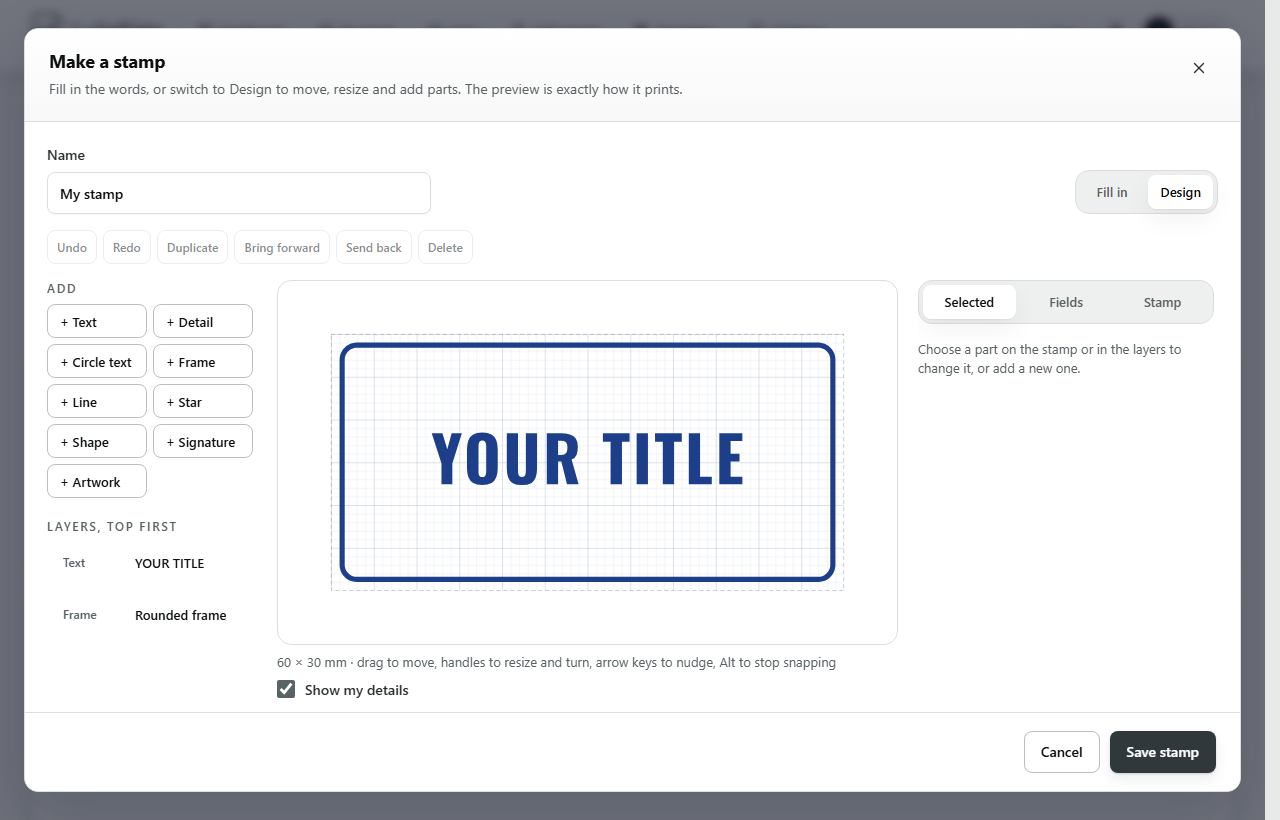
Choose Sign it myself from New and sign a PDF with the same tools you use to prepare one for others. Stamps and organisation seals are part of the paid plans.
A stamp records who applied it, with which words, and when. LulaSign does not check the qualifications or authority of the person who applied it.
What the sender keeps
Keep the completed PDF, signing certificate and verification details together. Anyone holding the final file can check whether it still matches LulaSign’s record without seeing private signing details.
Explore trust & evidenceLulaSign · Simply sign.